TehranQ Workspace
One place for your team, your own model and your tools
Every install comes with the TehranQ Workspace, in the browser on your own server. Your team chats with your own model, shares context and works from it together, and plugs in the tools they already use. Your model, your tools and your apps, on a network of your own. Every picture on this page is the real Workspace, in a test install with example people and documents, and every answer in them is the model’s own.
- In the browser, on your network
- Persian and English
- Works with no internet
- Phone, office or VPN
Chat
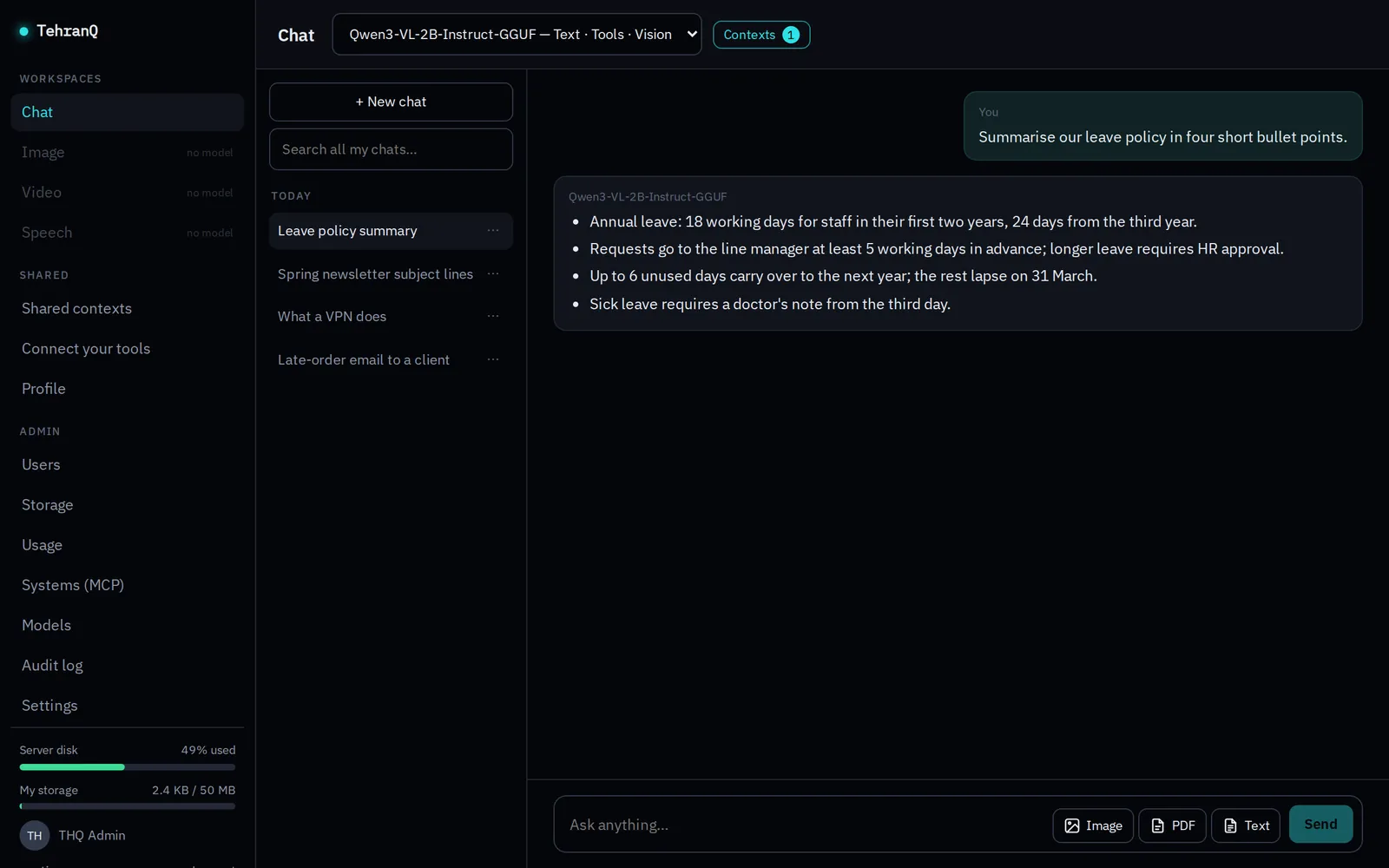
Chat with your own model
Each person has their own chats, saved on your server. Attach the images and files a question is about, and the answers come back formatted, with lists, tables and code.
- Up to four files in a message: images for models that can see, and PDFs and text files the model reads
- Search across all your chats; rename one, delete it, or export it as text or PDF
- Choose the model for each chat, and stop an answer halfway
- Company instructions apply to everyone, and each person adds their own notes
Shared context
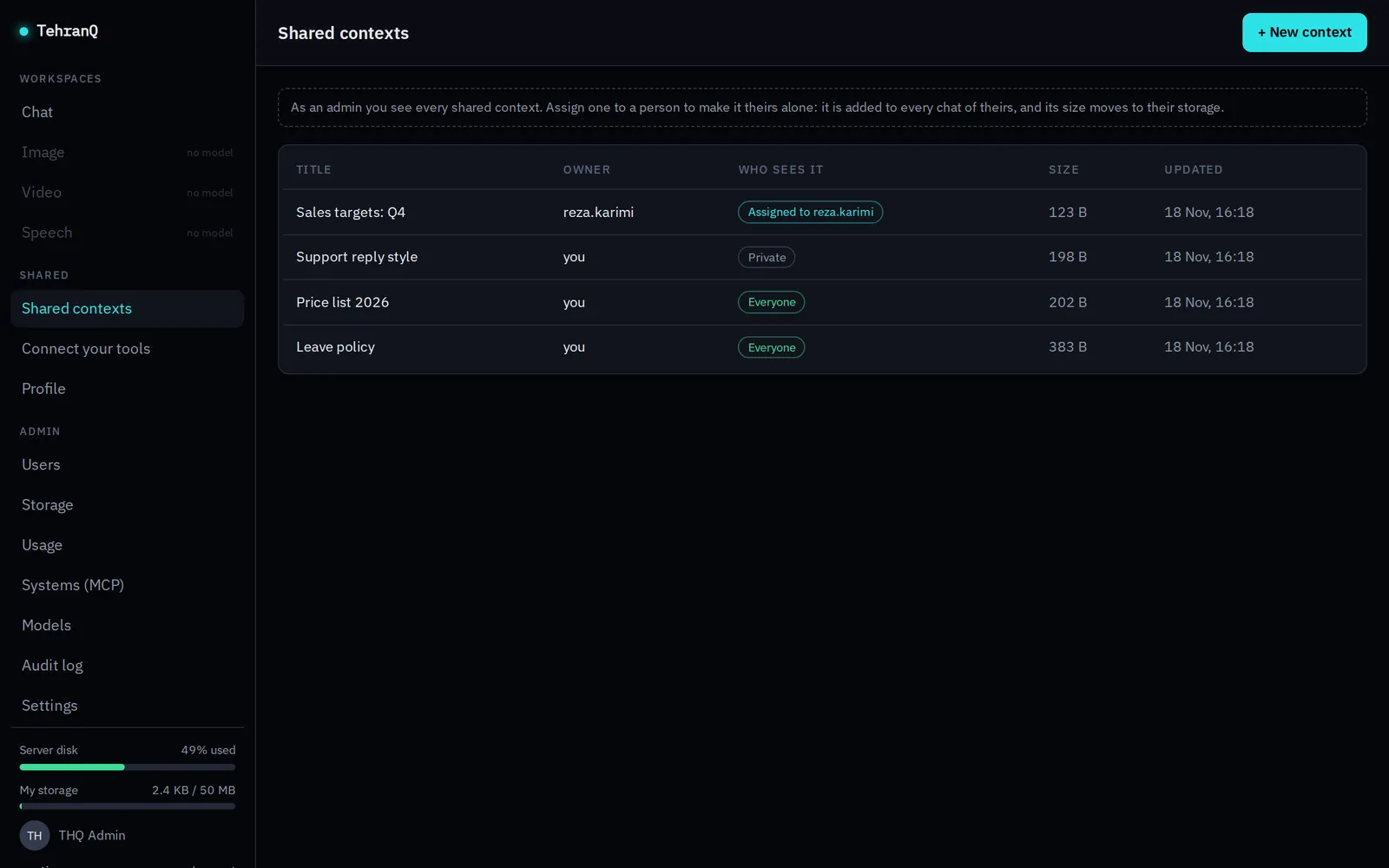
Share your context, work on it together
A context is what the model should know for a piece of work: a price list, a policy, a project brief, the way you answer customers. Share it with the team and everyone chats with the same knowledge, or keep it to yourself.
- Private, or shared with the whole team
- An admin can hand one to a person, and it joins every chat of theirs
- Text, PDFs and text files, counted in its owner’s storage
- Tools connected over MCP read the same contexts
Your tools
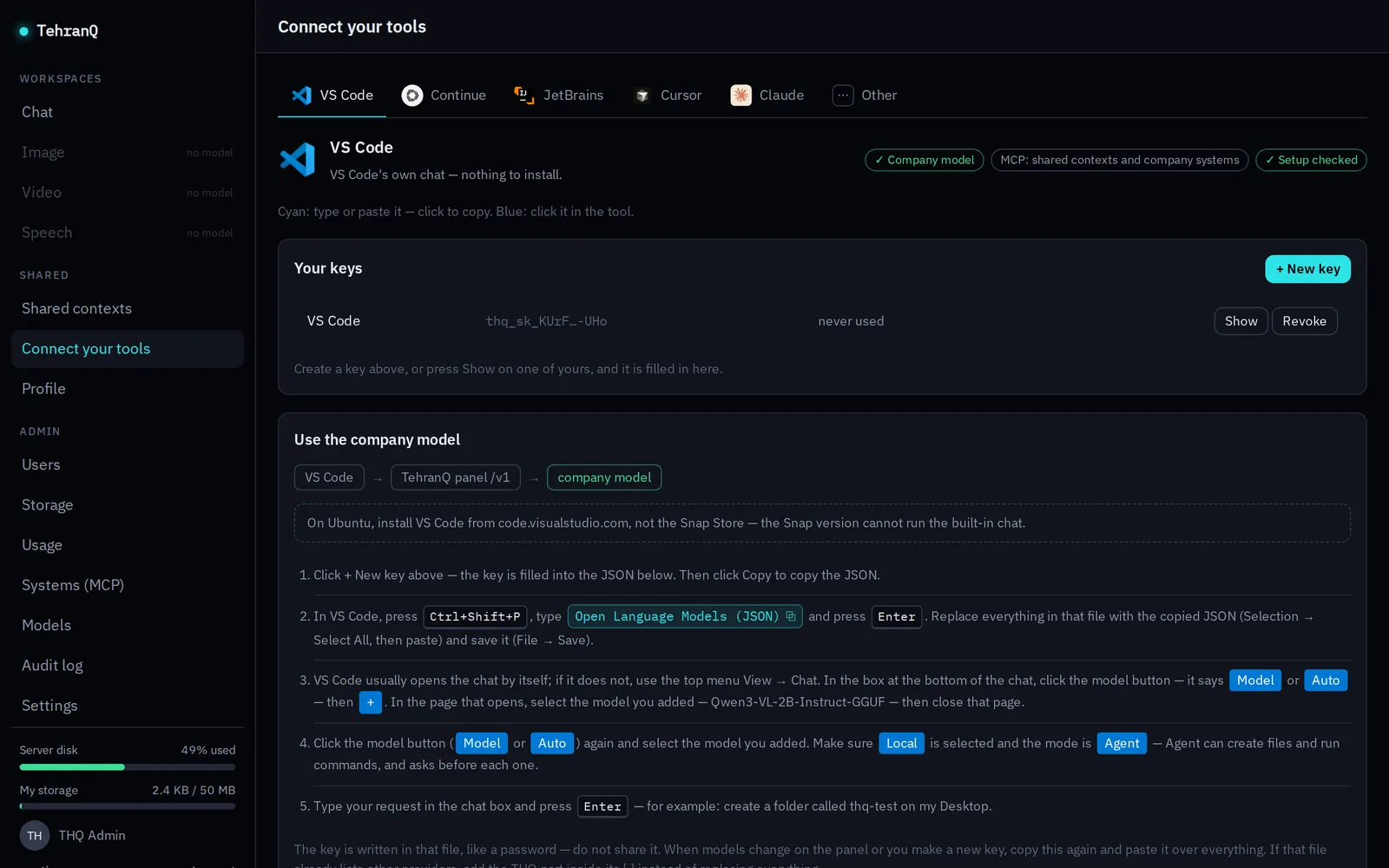
Your own model in your own IDE
Code with your local model instead of a paid online one. Each person makes a key, and the Workspace shows the setup for their tool step by step, with the key and the model already filled in.
- VS Code, JetBrains IDEs and Continue use your own model: no subscription, and no code leaving the building
- Cursor, Claude and other MCP tools connect too. They reach your contexts and your apps but keep their own model, and the Workspace says so
- Each key can be revoked on its own, without touching the others
- A check for each tool, so people know it works before they start
People and storage
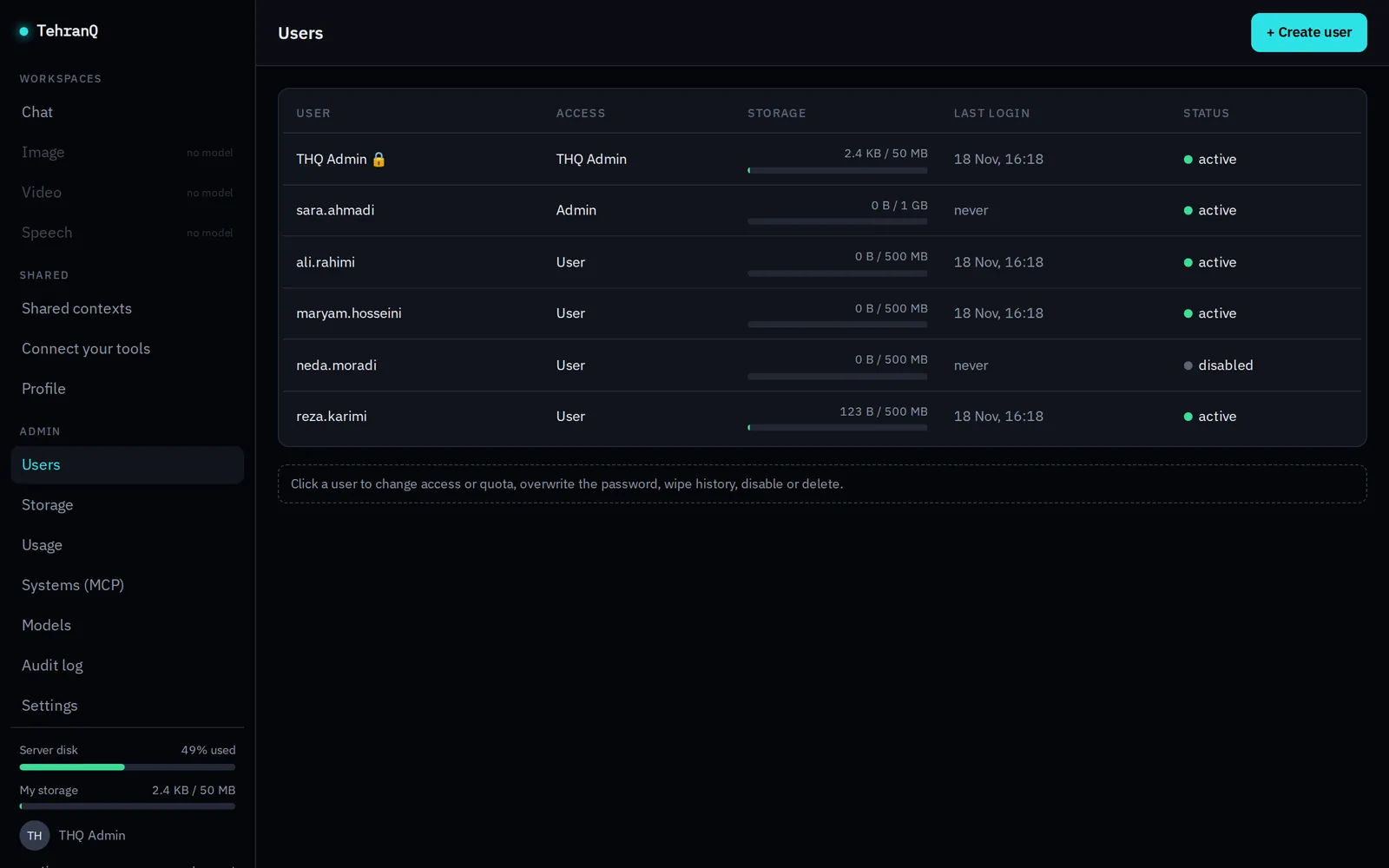
Admins run it without a technician
Create accounts, set how much each person may store, and see the server’s disk at a glance.
- Three roles: user, admin, and THQ Admin, the company’s own owner account
- A storage quota for each person; at 95% they free space before saving more
- Set a new password (it signs them out everywhere), wipe a history, disable or delete an account
- The server’s disk is shown to every admin, from green to red
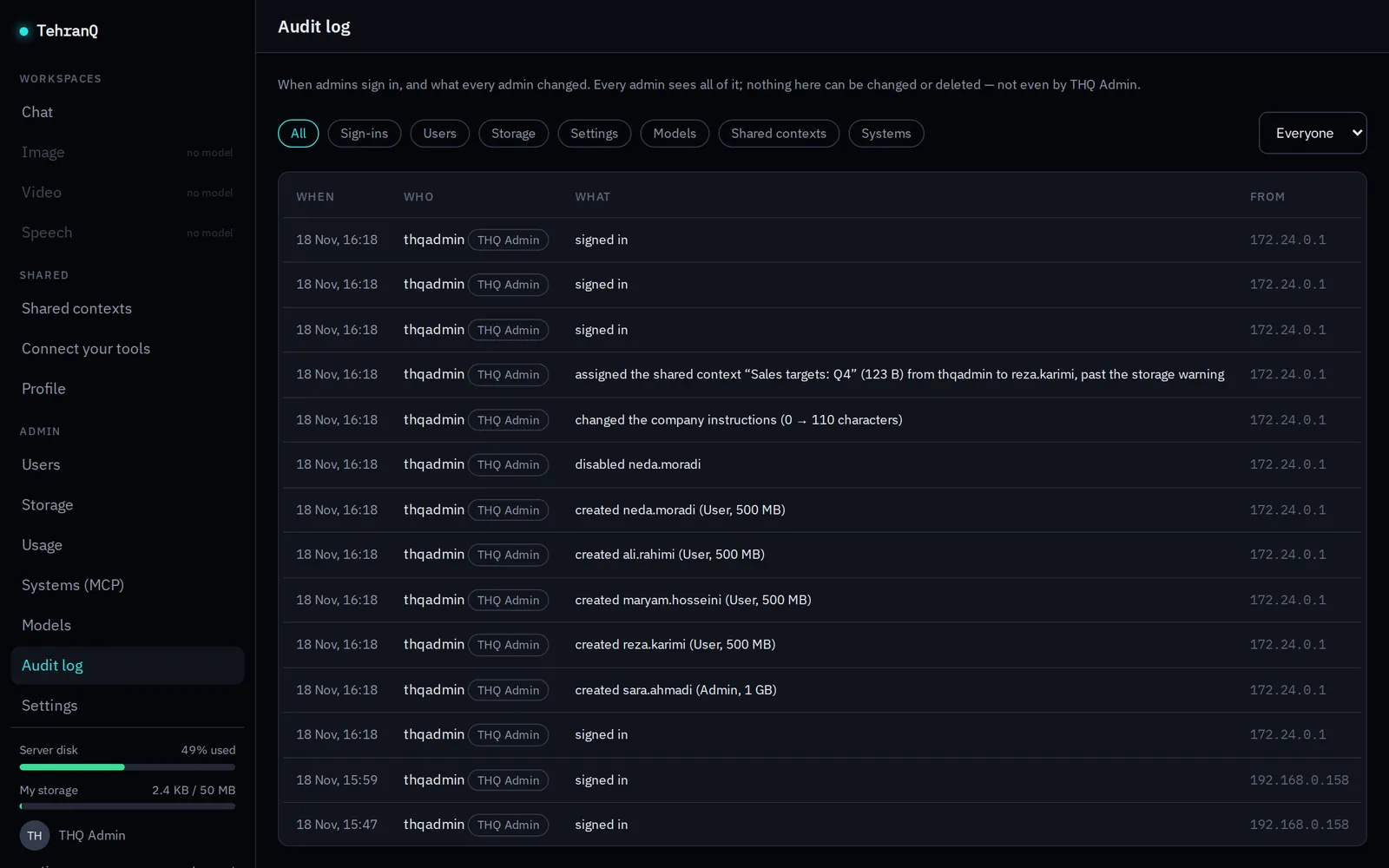
Audit log
Admins can see what other admins did
Every sign-in and every admin change is recorded: who, when and from where. Nobody can edit or delete it, not even THQ Admin. The database itself refuses.
- Sign-ins, including failed ones
- Changes to people, storage, settings, models and shared contexts
- Every call the model makes to one of your apps, with its outcome
- Filtered by kind and by person
Your own model
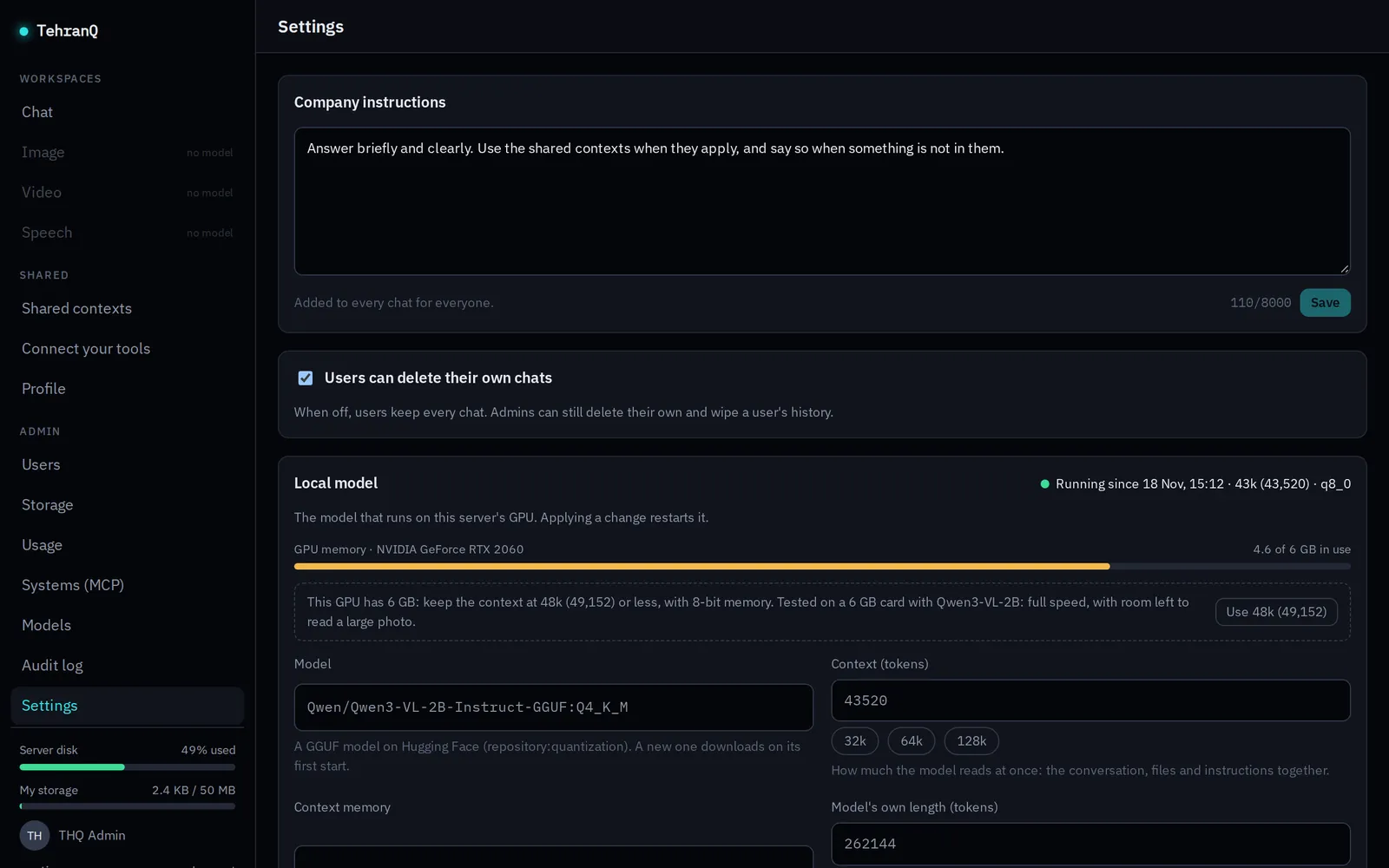
The model runs on your GPU and adds itself
The model comes inside the install package and runs on the server’s NVIDIA GPU. It adds itself to the Workspace, and admins change it, or how much it reads at once, in Settings.
- Its context is sized to the GPU by itself, and the Workspace shows the GPU memory in use
- A guide for this GPU says what fits before anything restarts
- Other OpenAI-compatible model servers can be added beside it
- Whether people may delete their own chats is a setting
Integrations (MCP)
The model works with your own apps
Your CRM, your ERP, your ticketing system: anything with an API. The model helps your team look things up and get work done in them, from VS Code, JetBrains, Cursor and other tools. We connect them at install, each person reaches only what they may, and every call goes into the audit log.
How integrations work →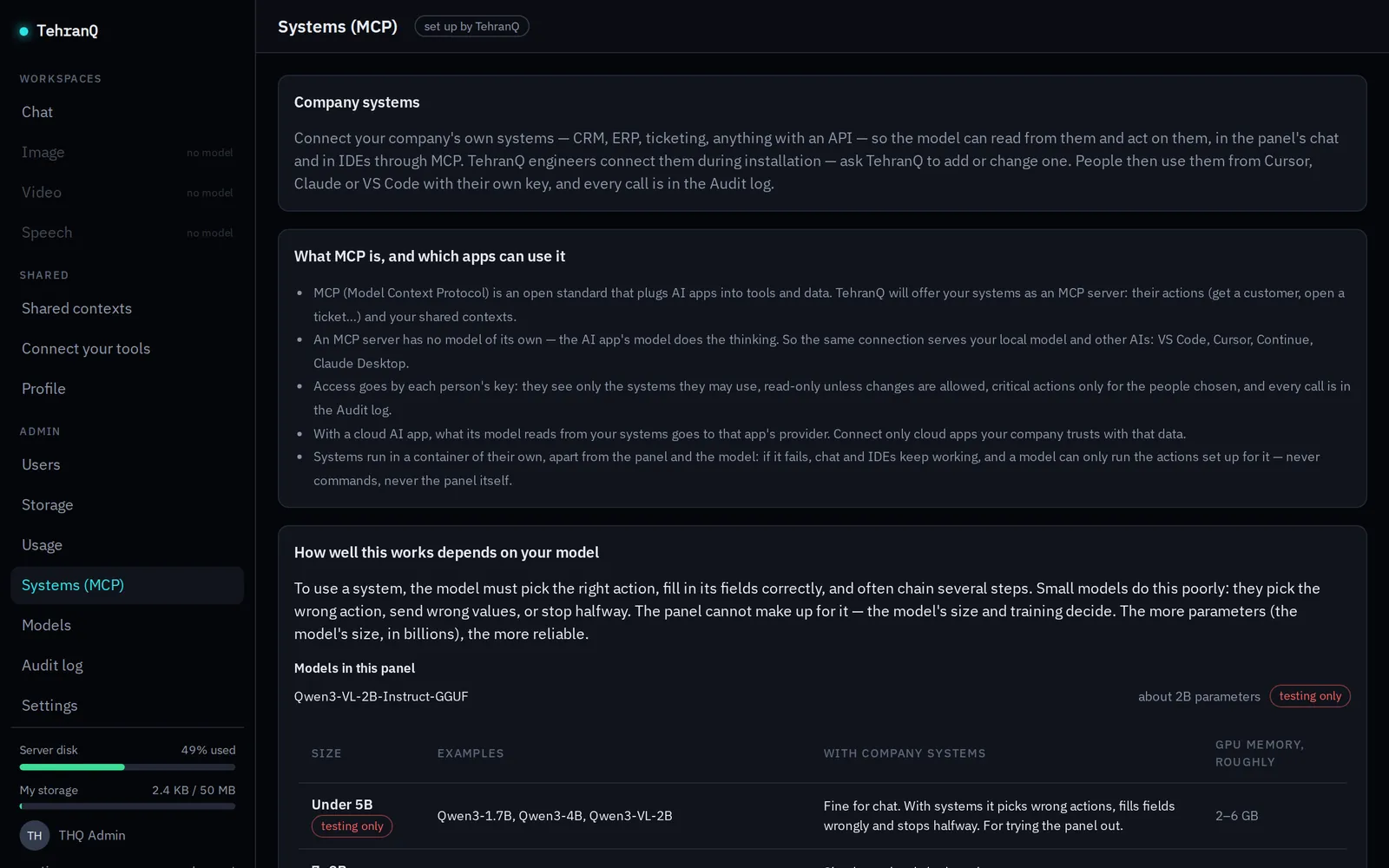
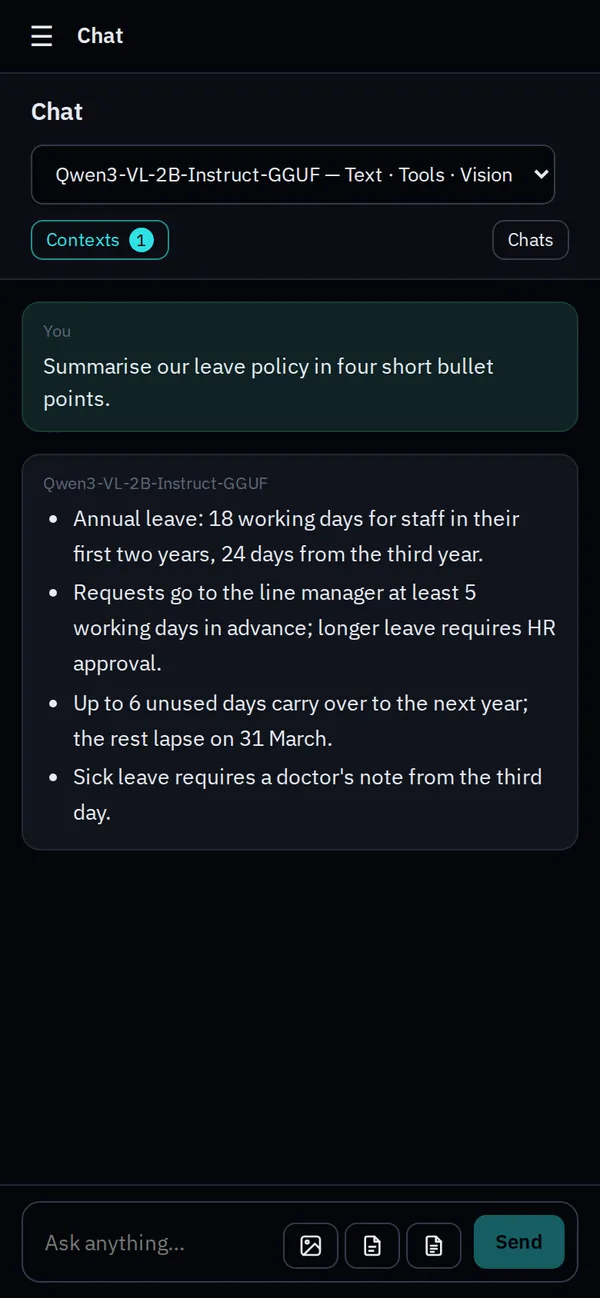
From your phone, from anywhere
The Workspace works in a phone’s browser, in both languages. Ask about some code, look something up or pick up a chat, at the office or from anywhere over your company’s VPN. Nothing to install.
Installing and running it
One package, no downloads on site
The Workspace, the database and the model come in one install package. At your office the only downloads are Ubuntu’s own packages, from any Ubuntu mirror.
One command to install, the same to upgrade
An upgrade keeps every setting, chat and file, and the database updates itself.
Backup and restore
The database, people’s files and the settings: three files to copy off the server, and a written way back onto a new one.
It starts by itself
After a power cut or a reboot, everything comes back on its own.
Not in the Workspace yet
Videos cannot be attached yet; images, PDFs and text files can. Image, speech and video generation show as “no model”: for now they run as tools of their own, described on their pages. The Workspace’s own chat does not reach your apps yet; that is done from the tools. A usage page is on its way. And the model does not search a whole document archive by itself: it reads the files and shared contexts in the chat, as much as its context holds.
See it running
We will show you the Workspace working, with your own questions.
Request an assessment